Advanced CDN Options. HTTPS/SSL,NGINX Settings,Video Streaming and more
Log into your https://accounts.cartika.com
Manage your Cartika CDN service and choose the "hostname" you wish to work with
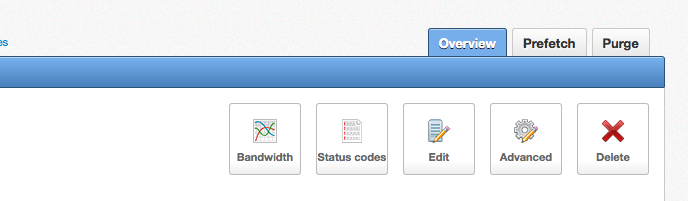
Click on the advanced settings icon
Functions include
Manage your Cartika CDN service and choose the "hostname" you wish to work with
Click on the advanced settings icon
Functions include
- Granular Country Access allow/deny
- Hotlink policy with advanced allow/deny capabilities
- Origin Policy (HTTP, HTTPS,AUTO)
- Advanced IP access allow/deny capabilities
- Secondary CDN Hostname Management
- Enable CDN Password control
- Psuedo Streaming - Our CDN supports pseudo-streaming MP4 and FLV videos. With this feature, your viewers can seek around a video even if it has not finished downloading. It requires a Flash player and a video prepared for pseudo-streaming
- Ignore Set Cookie Options - CDNs set cookies for session tracking. Our CDN does not cache any content with Set-Cookie response headers, including static content like JPEG files. If you experience 0% cache hits due to this, enable this setting so that such responses are cached.
- Block Search Engine Crawlers
- Advanced NGINX Settings - advanced rate limit settings, proxy read and connect timeout settings, proxy cache keys